DIY VR: How to build your own headset, and why you probably won't want to
DIY VR: How to build your own headset, and why you probably won't want to
A DIY VR guide walks through building your own headset from about $180 in parts, including 3D-printed shells, 2.9-inch 1440×1440 LCDs, a GY-91 sensor module, and an Arduino Pro Micro. The author built one using the open-source Relativty project and concludes DIY VR remains a decidedly niche pursuit. The piece notes that while headsets like the Steam Frame and Pimax Dream Air are still arriving, overall development has slowed.
DIY
A primer on the joys and pains of building your own head-mounted display.
The completed headset on the workbench. Credit: Tim Stevens
Virtual reality is in a bit of a weird place right now. After a lot of unfulfilled promise in the 1990s, it came back strong with the 2016 release of the Oculus Rift. For a while, it looked like VR, AR, XR, the metaverse, or whatever you wanted to call it, was going to be huge. Mark Zuckerberg was certainly convinced, and even Apple got in on the hype with its Vision Pro.
But by then momentum for alternate realities of every acronym was already in steady decline, and it only dwindled from there. The rate of development of new headsets has slowed, with many companies (including Apple) scaling back or shelving their efforts. While new releases like the Steam Frame and Pimax Dream Air are still happening, many of the most interesting developments in the space these days are on the enthusiast front.
That’s right, DIY VR is a thing, and with a couple hundred dollars in components, plus many hours of your time, you too can enter the immersive world of virtual reality while also experiencing the highs and lows of soldering, firmware flashing, and 3D printing. I rode that rollercoaster myself and learned why this is still a decidedly niche movement.
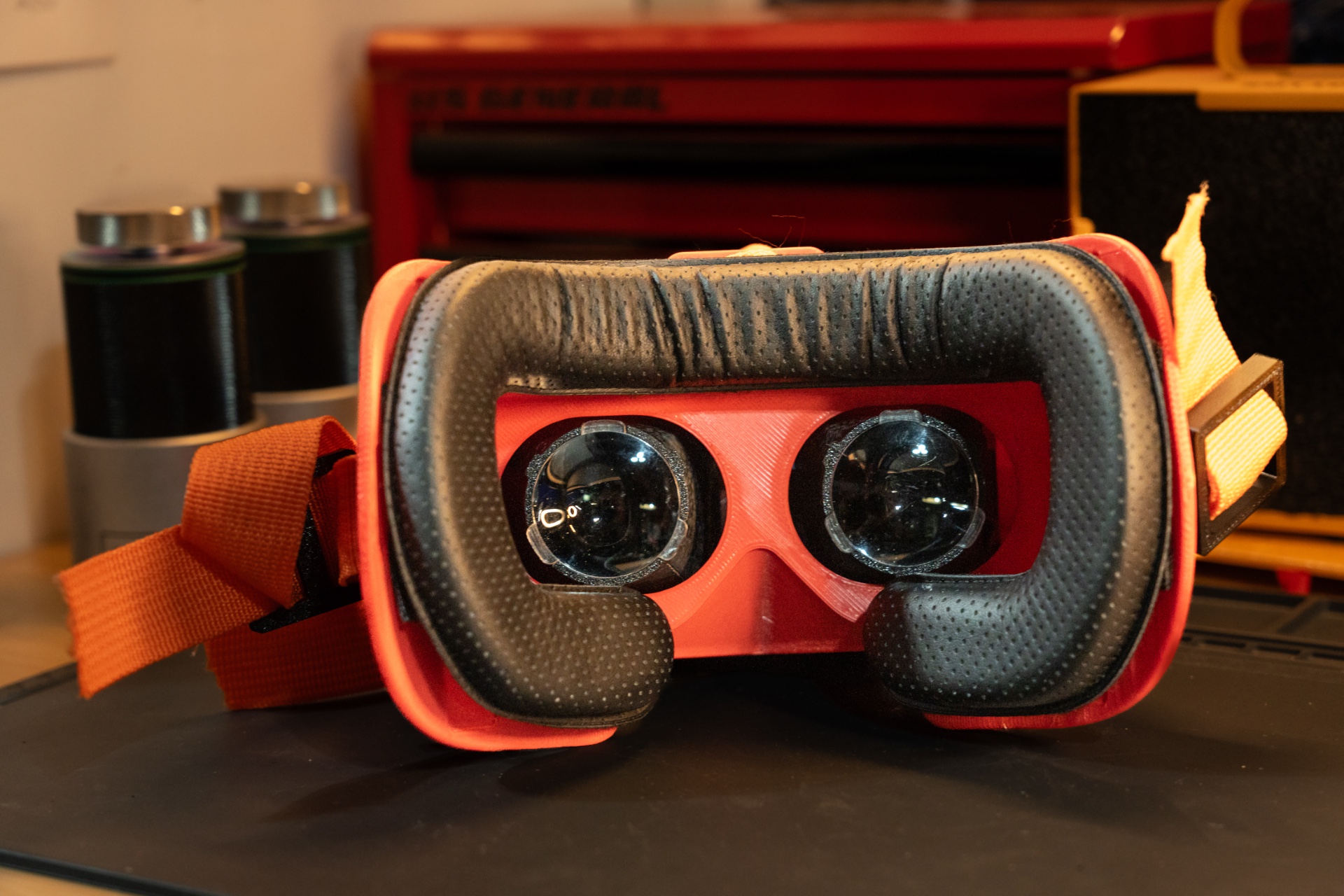
An off-the-shelf VR pad keeps things semi-comfortable.
Credit: Tim Stevens
An off-the-shelf VR pad keeps things semi-comfortable. Credit: Tim Stevens
The DIY VR landscape
I stumbled into this space about a year ago. I primarily use VR for sim racing to practice driving the world’s greatest cars on the world’s greatest tracks while at home in my pajamas. At that time, I was using an HP Reverb G2, a virtual reality headset built around the Windows Mixed Reality (WMR) standard.
As part of its own cooling on VR tech, Microsoft was nixing support for WMR, and I feared that I might need a new headset. (I need not have worried. Many talented folks have kept WMR headsets alive through third-party drivers like OASIS on Steam.)
That’s when I found YouTuber CNCDan’s video on building a VR headset for $150. The price was certainly compelling, and as someone with a particular set of electronics skills developed over years of disassembling and repairing pinball machines, I thought it sounded kind of fun.
That opened the door to a rich landscape of DIY VR development, complete with software tools and hardware advice on how to get started.
The best starting place is Relativty VR. This project, started in the late 2010s by Jonas Ceccon, Gabriel Combe, and Maxime Coutté, includes all the code, configurations, and guidance you’ll need to get started.
But there are others, like OpenVR Arduino HMD, Project North Star, and the full-body tracking SlimeVR. There are plenty of ways to piece together your headset. As my first attempt, I kept it simple, sticking with the Relativty software and relying on the 3D headset models provided by CNCDan as part of his build. First step: the hardware.
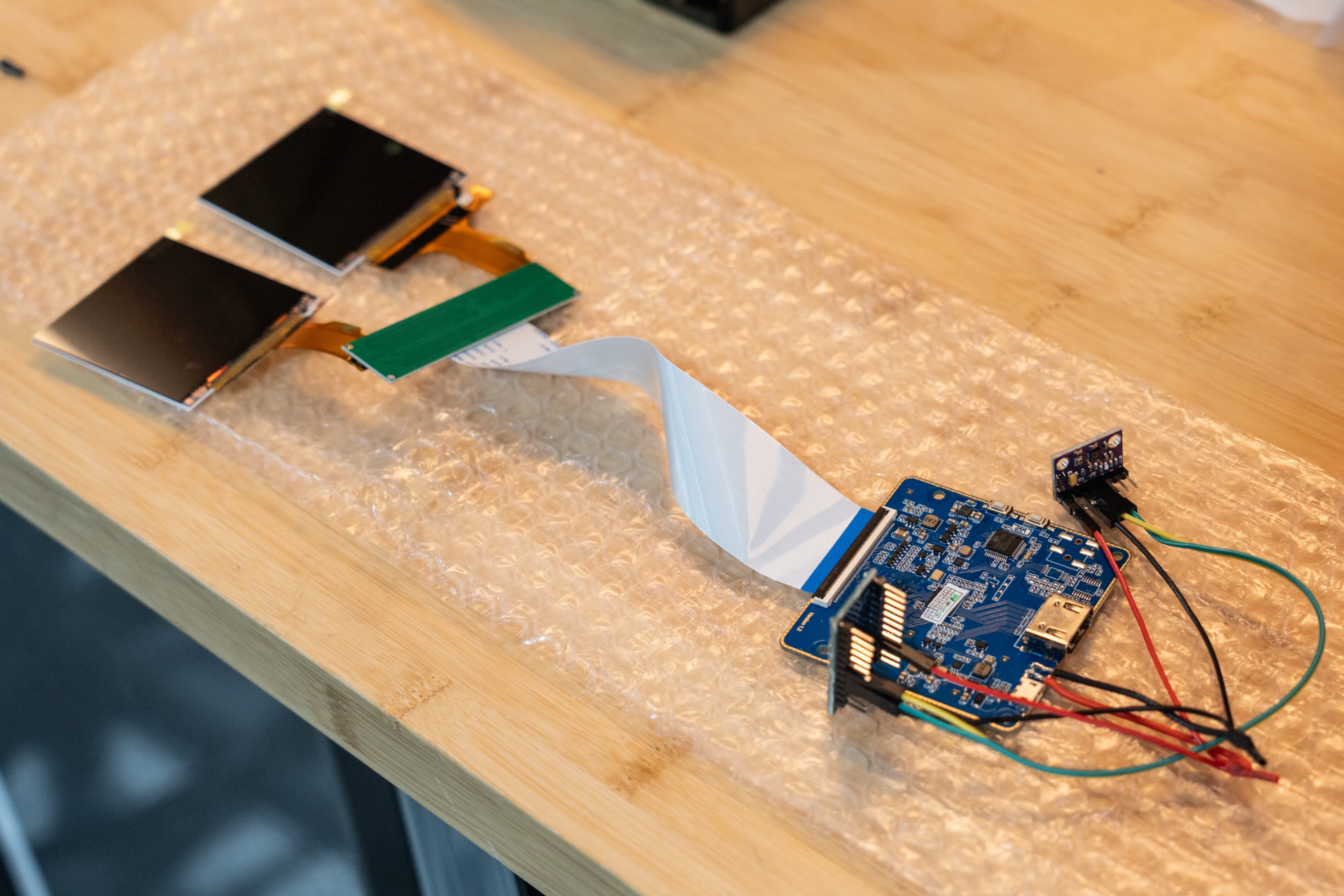
An Arduino, an IMU, and a set of tiny displays are all you really need.
Credit: Tim Stevens
An Arduino, an IMU, and a set of tiny displays are all you really need. Credit: Tim Stevens
Bill of materials
A DIY VR headset is a mixture of hardware and software, and while you can have the software ready to go in just a few clicks, chances are it’s going to take some time to get the hardware you need. That’s doubly true given the uncertainty in global shipping.
The biggest and potentially most important piece of hardware is a 3D printer. Although I’ve seen some compelling DIY VR headsets made out of repurposed VR phone holders—Google Cardboard among others—most projects fit in shells that come out of a 3D printer. If you don’t have access to one, services like Formlabs can handle it via mail order, but given the amount of tinkering here, it’s certainly advantageous to print at home.
Regardless, you need to buy quite a few things. Let’s start with the most expensive: displays. You might think a pair of panels small enough and good enough for a VR headset would be difficult to find and prohibitively expensive, and you can certainly spend a lot here, but the standard option is a set of 2.9-inch LCDs, which can be purchased with the necessary controller for about $125.
Each has a 1440×1440 resolution. They offer 150 nits of brightness and a contrast ratio of 600:1. Not exactly world-class specs, but plenty enough for this application, and though they’re pretty ugly to view from odd angles, since you’re literally going to be sticking them a few inches from your eyeballs, that’s not really an issue.
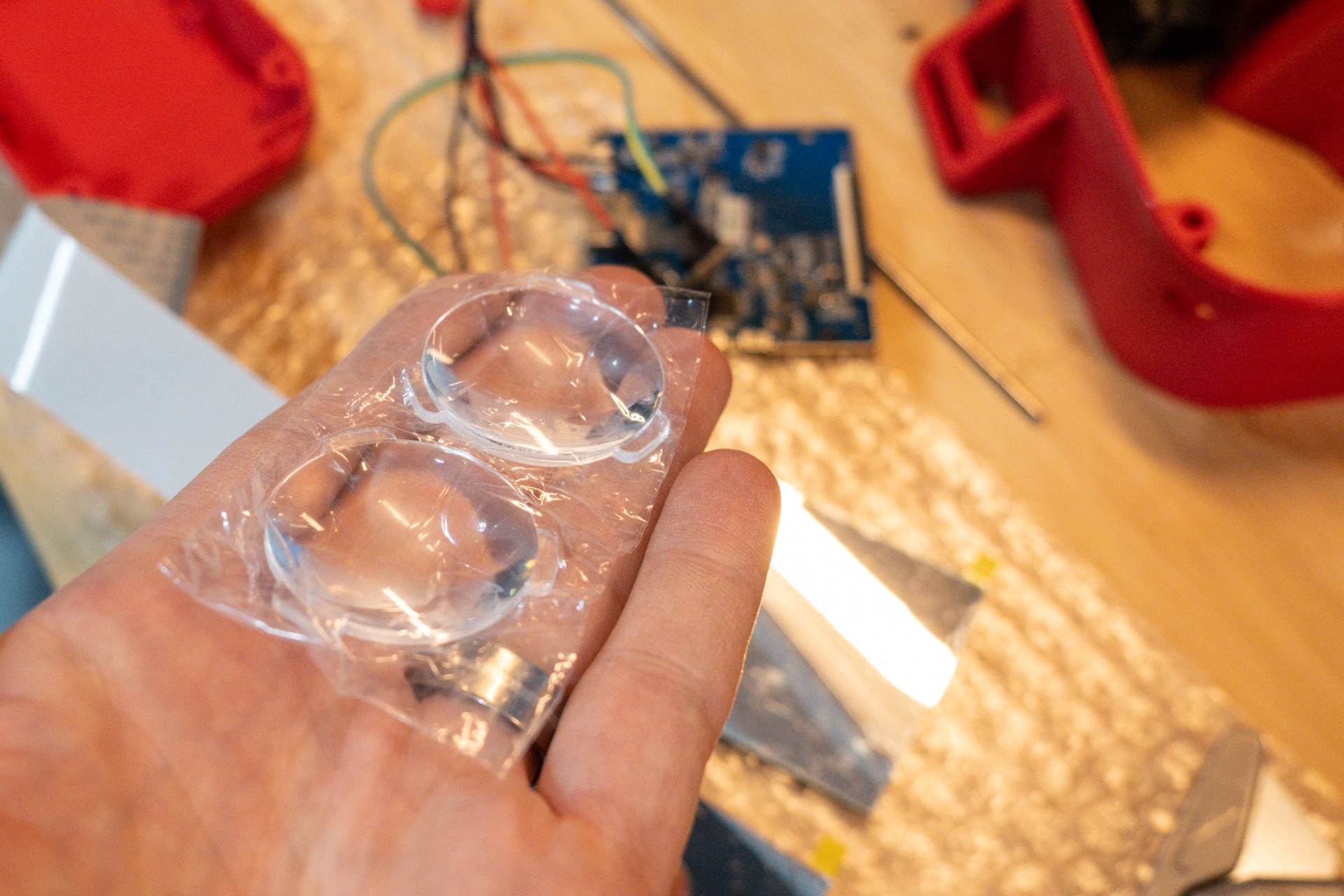
Cheap plastic lenses keep everything in focus.
Credit: Tim Stevens
Cheap plastic lenses keep everything in focus. Credit: Tim Stevens
The next missing piece is a sensor module containing an inertial measurement unit, or IMU. This device detects the headset’s position. You’ll want a GY-91, a sensor board that has an onboard accelerometer, gyroscope, magnetometer, and barometer. You can find one for around $5, but buyer beware for reasons I’ll explain shortly.
Next is the circuitry that ties it all together. Some DIY VR projects call upon custom PCBs riddled with components. The Relativty project just relies on an Arduino Pro Micro, which can be bought at any number of electronics retailers for $5 or less.
You’ll also need a pair of 34 mm-diameter lenses to focus those tiny displays, some miscellaneous hardware to connect the pieces, and a nylon strap to hold the thing to your head. Oh, and a pad from an HTC Vive, because nobody wants the sharp edges of layered plastic extruded from a 3D printer rubbing against their face.
My total spend for all that came to just under $180.
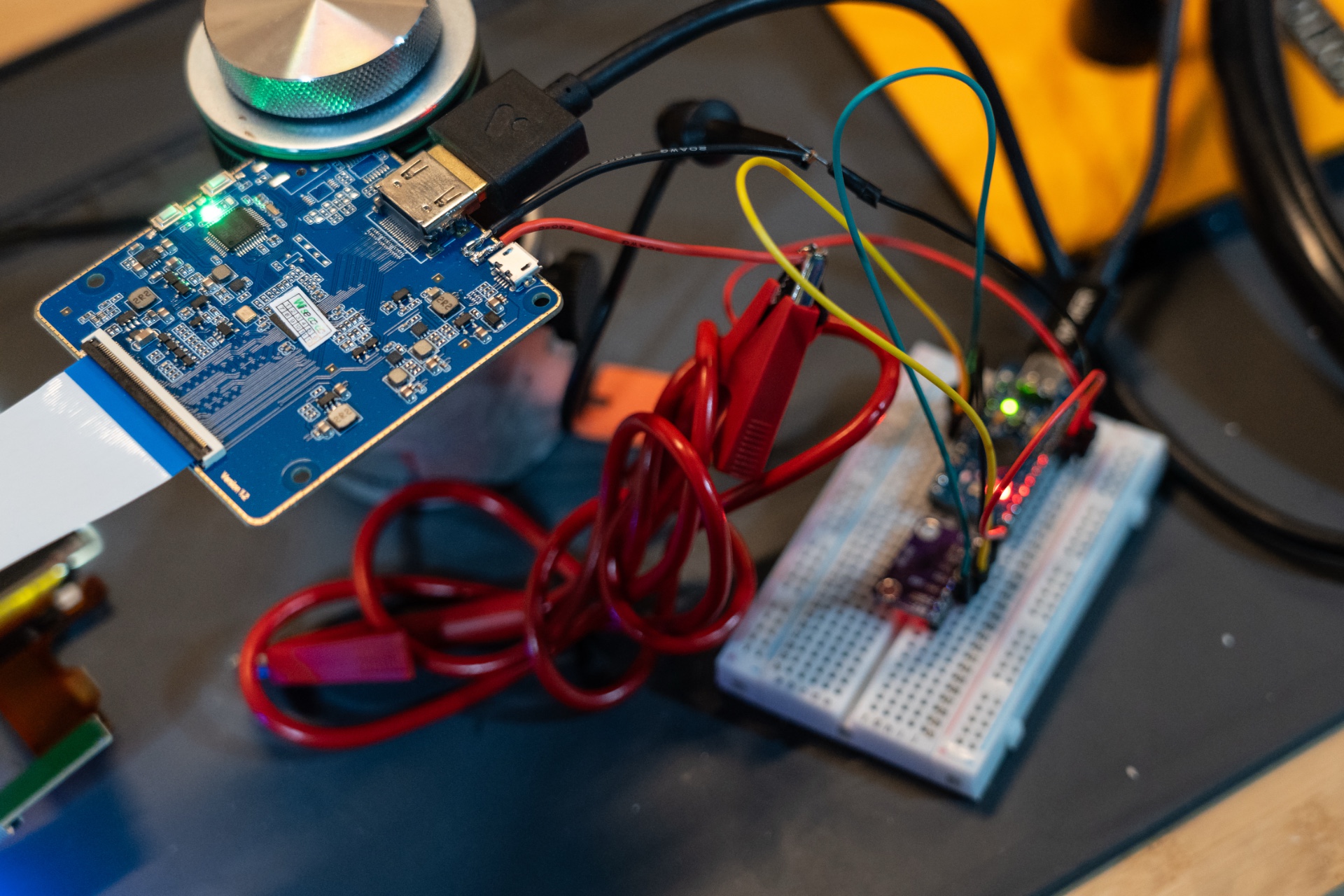
Breadboarding isn’t strictly necessary, but it helps with early testing.
Credit: Tim Stevens
Breadboarding isn’t strictly necessary, but it helps with early testing. Credit: Tim Stevens
Breadboard time
Before you break out the soldering iron and fire up your 3D printer, I suggest you start with a breadboard and some patch wires. Wiring on this project is on the simple side, but trust me when I say it will be much easier to figure out why your firmware isn’t flashing with a few components on your workbench than when they’re all crammed inside a headset.
I won’t include all the wiring details here, as it’s best to follow the guide in the GitHub above, but in general, you need to connect your IMU to your Arduino to provide both power and data.
You can also optionally connect the display controller to the Arduino for power, as suggested in the video above. That’s what I did for my testing, but be advised, this isn’t necessarily a good idea given the power requirements of the displays vs. the capabilities of the Arduino. You’re better off running a separate USB cable to the display or a USB splitter inside the headset.
Once you’ve wired everything and powered it on successfully, you’re ready to start with the software.
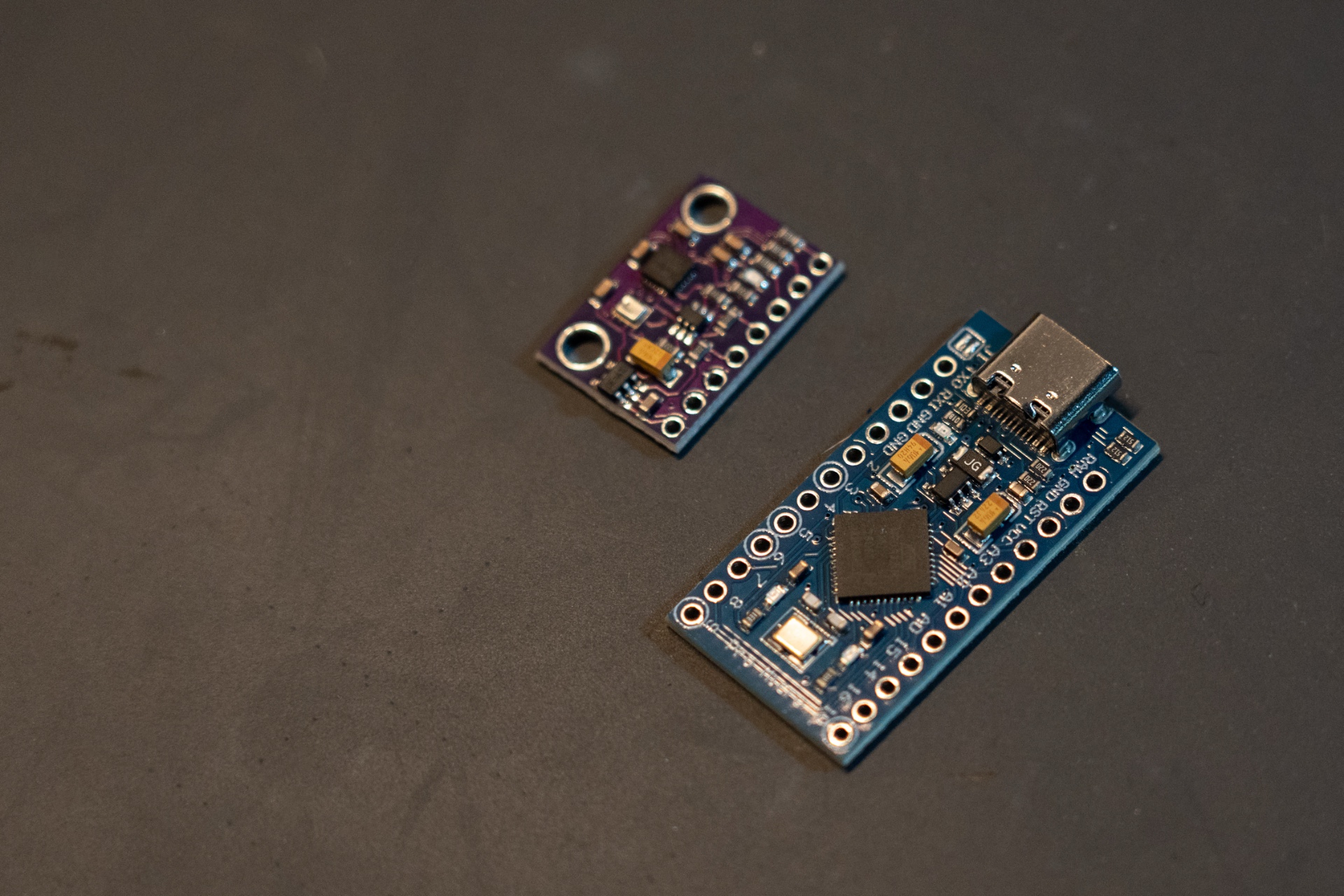
A legit Arduino and a bogus IMU.
Credit: Tim Stevens
A legit Arduino and a bogus IMU. Credit: Tim Stevens
Firmware fun
Flashing the firmware to the Arduino should be the easy part, but this is when things started falling apart for me. In theory, you install the Arduino IDE on your desktop, download the FastIMU project, connect your Arduino via USB, and then click compile. Easy.
Mine just kept failing. I got a basic error message, e:-1, again and again. After a bit of research and tinkering, I finally figured it out, and the news wasn’t good.
Although I ordered and paid for a GY-91 with an onboard 9250 IMU, and that’s what it identified as, in actuality, it was a basic, cheaper 6500 IMU, one that lacks the magnetometer.
As I learned (the hard way), this is a disconcertingly commonplace experience. Many shady electronics companies are happy to sell you the wrong component for the wrong price. The two devices are compatible and operate much the same way, but without the magnetometer, tracking performance drops substantially.
Once I updated the code to reference the 6500 I had and not the 9250 I thought I had, everything flashed beautifully, and I was instantly up and running. I calibrated my IMU through the Arduino IDE, and I was ready for final assembly.
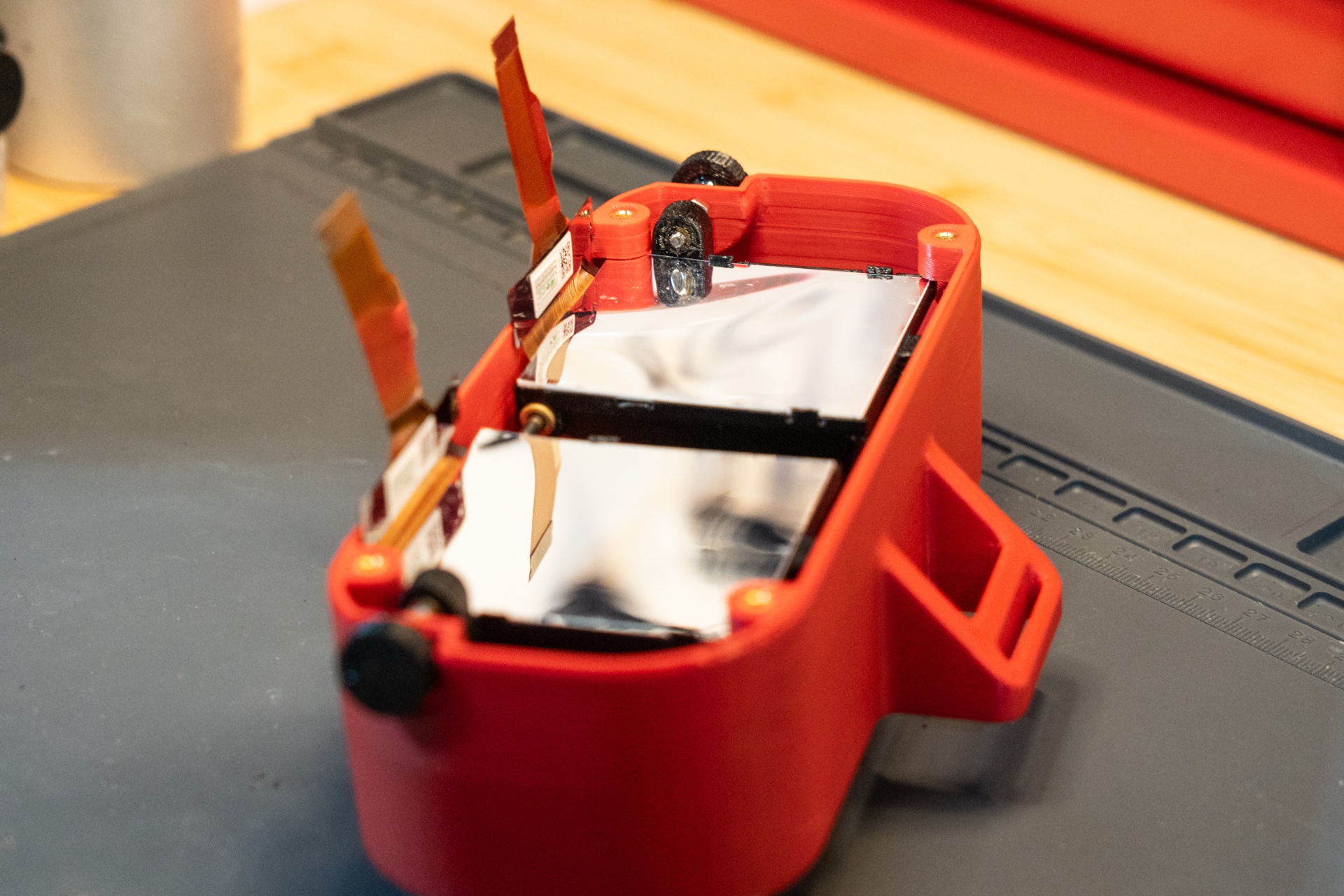
Be extremely careful in placing your displays.
Credit: Tim Stevens
Be extremely careful in placing your displays. Credit: Tim Stevens
Putting it all together
You can find various shells online for custom VR headsets, many of which are designed to accommodate this specific set of boards used in Relativty. I decided to use CNCDan’s files, as it looked like a clean and clever design, even allowing for adjustment of the distance between displays, known as interpupillary distance, or IPD.
That makes for a complicated assembly process, requiring numerous printed parts, a handful of threaded receivers melted therein, plus rods and screws to hold it together. You’ll also need a pair of eye boxes, each one holding a lens on one side and the display on the other.
This was where I made a painful mistake. The design’s eye boxes contain small clips, and the instructions suggest you just pop the displays in there.
This is not what you should do. The exposed LCDs are extremely fragile, and by clipping them in, I managed to break both. The small amount of pressure required was enough to shatter them, and the damage was invisible until I turned them on.
Given that, I highly recommend modifying those boxes, either by printing them without the clips or by breaking them off after the print is complete. I used a few strips of thin painter’s tape to hold mine in place.
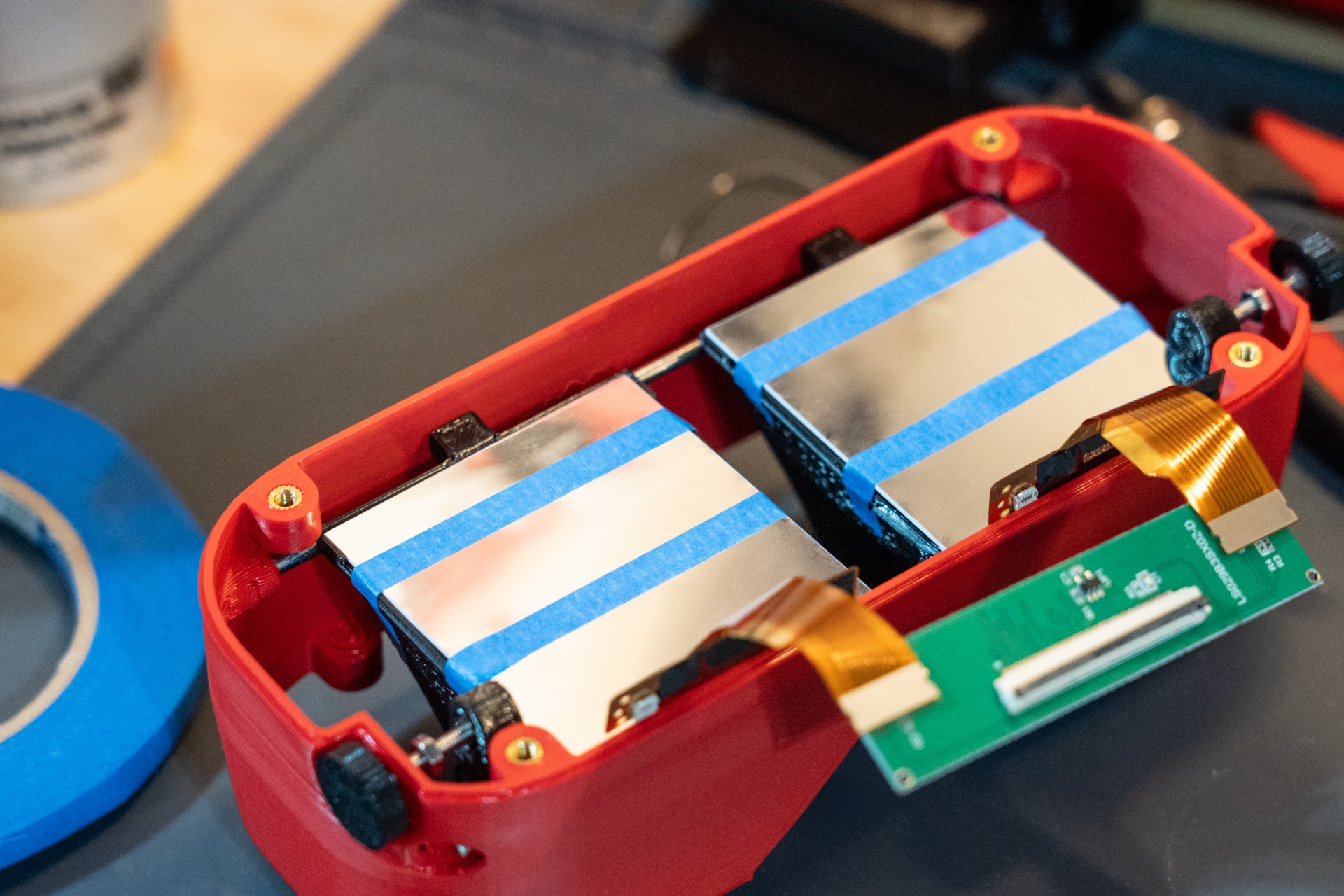
A little tape held things secure.
Credit: Tim Stevens
A little tape held things secure. Credit: Tim Stevens
Getting in the game
With all the wires jammed into place, I screwed the headset together, stuck on the face pad, threaded on the head strap, and proceeded to spend about five minutes trying to get a comfortable fit. I never quite succeeded.
I booted into SteamVR’s living lounge space and was immediately discombobulated. For one thing, I was staring straight at the floor. For another, turning my head just sent the view spinning in different directions in a way that quickly threatened nausea.
I had forgotten to recalibrate the headset after mounting all the components, and my cut-rate IMU was now oriented differently than it had been when it was on my workbench.
After recalibrating and a little more firmware fiddling, I got back into SteamVR’s setup room and could tell I still had a problem. Holding my head perfectly still, I could see the perspective slowly spinning.
Additionally, the IMU axes seemed slightly crossed, so the perspective change didn’t quite match my head movement. I verified the IMU was mounted correctly in the case and recalibrated a few times with no improvement.
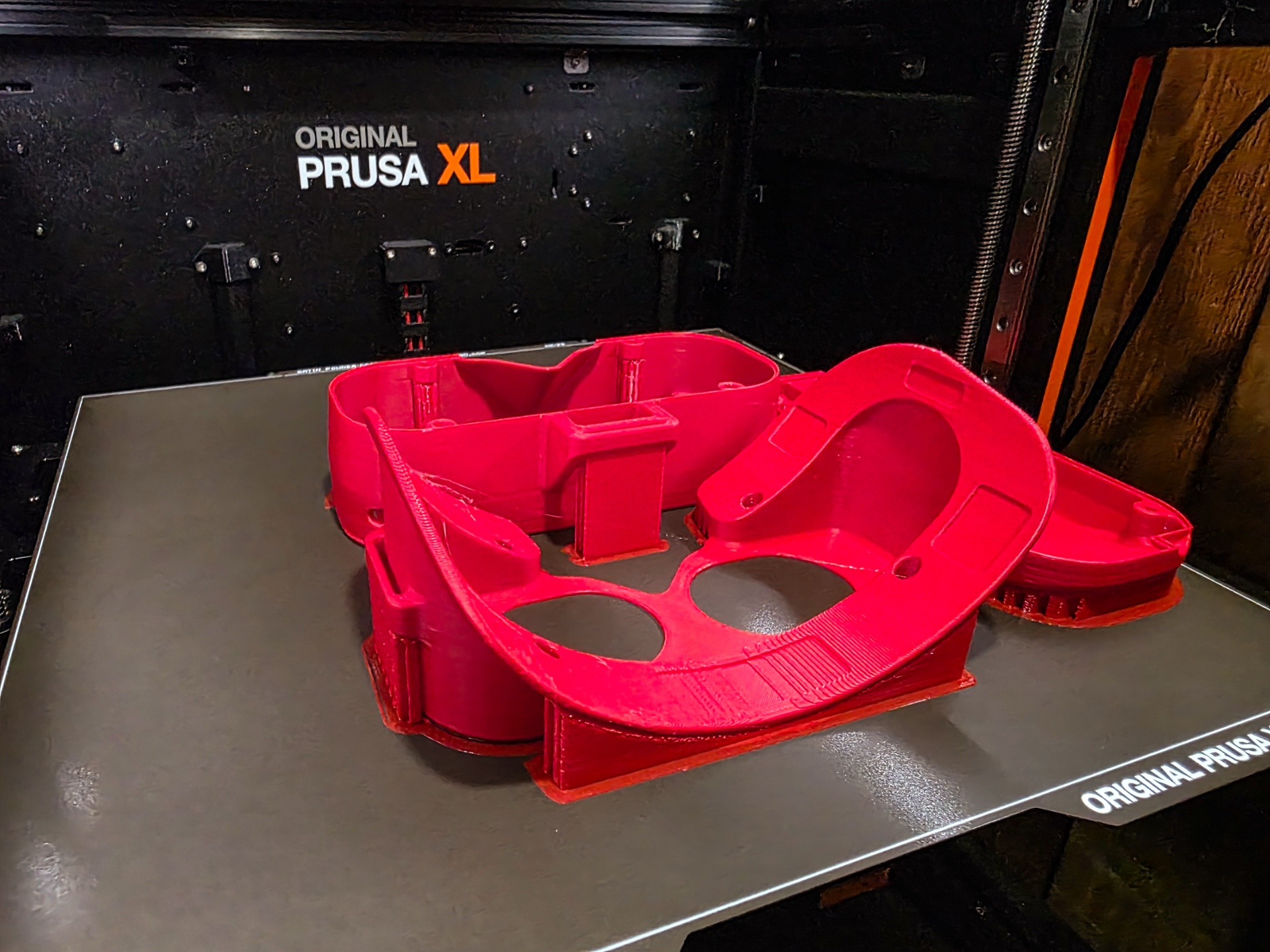
You can print any manner of shells for your headset.
Credit: Tim Stevens
You can print any manner of shells for your headset. Credit: Tim Stevens
I soldiered on, booting into iRacing, my favorite SteamVR-compatible racing sim. Before I was even out of the pits, my perspective was drifting. I mapped the recenter view command to a button on my steering wheel, and had to reach for it quite often.
Still, the image quality was not nearly as bad as I expected. Those cheap plastic lenses work surprisingly well, and though I could make out the pixels on the displays (the dreaded “screen door” effect of VR), it didn’t bother me. Brightness and contrast were more than adequate, and the refresh rate of 60 Hz was enough for casual practice.
But sensor drift and headset comfort were real issues. Without a proper cable-routing solution, the headset kept tugging to one side, and despite the padding, it was smashing my nose and cheeks.
I’ve done hourslong endurance races in multiple mass-market VR headsets. After 15 minutes in this one, I was ready to quit.
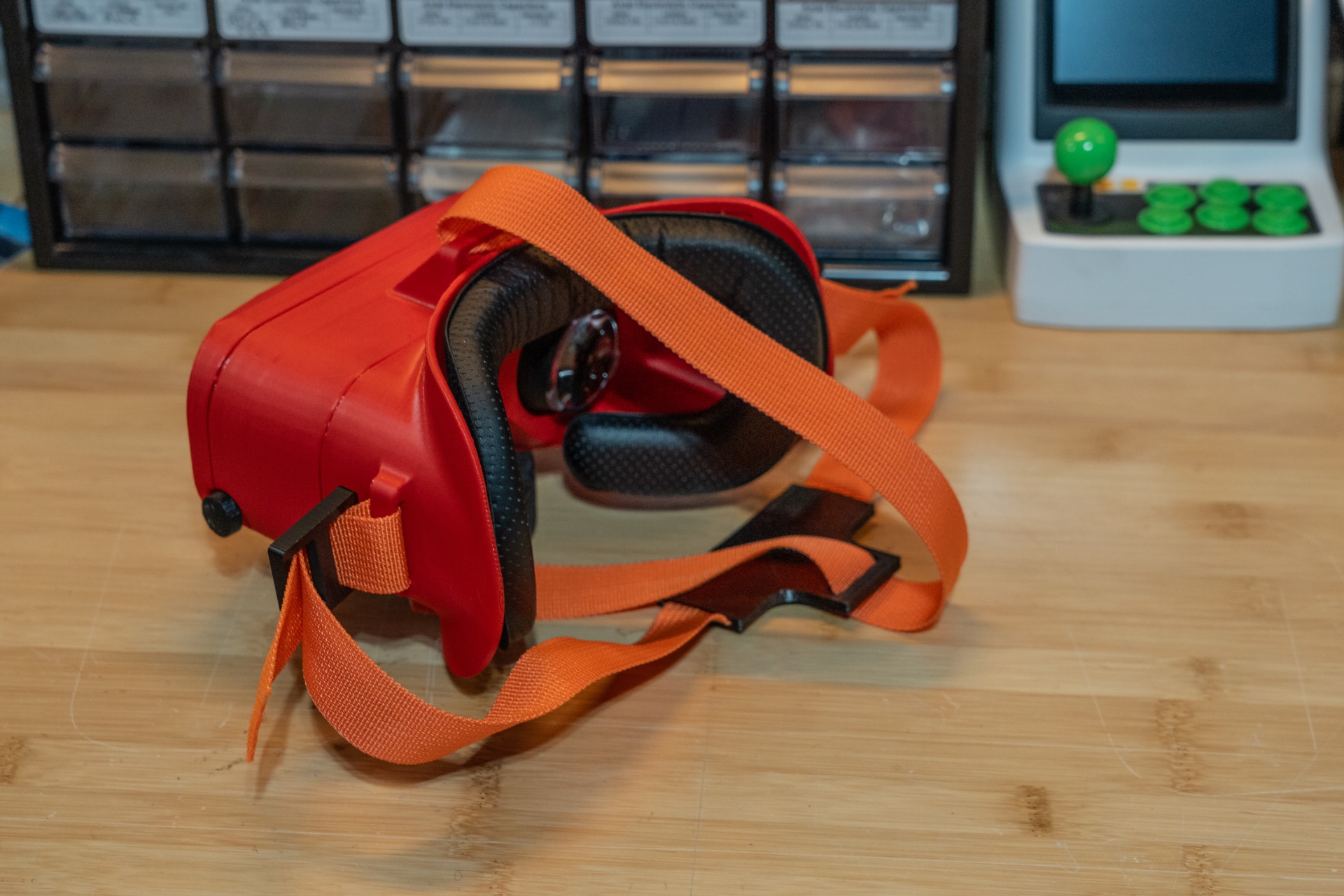
Projects like this are never really done.
Credit: Tim Stevens
Projects like this are never really done. Credit: Tim Stevens
Final thoughts and future upgrades
My total outlay for this project was $239.93. But that includes the extra $62 I had to spend on a second set of displays. Avoid that expensive gaffe, and you’re looking at around $180 in components.
That makes it roughly half the cost of a Meta Quest 3S, one of the cheapest headsets on the market right now. That’s a substantial savings, but I’d certainly recommend that most people pay the extra. The tracking issues in my headset are maddening, the image quality is middling at best, and this is far and away the least comfortable headset I’ve ever worn.
All that can be fixed, though. Some projects use a MinIMU-9 IMU, which looks miles more accurate and is less likely to be faked, but it’s also substantially more expensive at $35. You can also step up to higher-quality LCDs or even tiny OLED panels that come with all the color and contrast you could ever want. There are options for onboard battery packs, wireless adapters, and of course you can spend as much time as you like designing an ultra-comfortable housing for it all.
But even if you ignore the time commitment, once you start adding those upgrades, you’re not far from the cost of that Quest, a far-from-perfect headset that still works effortlessly and comfortably out of the box.
As always with these projects, it depends on what you want. If you just want a cheap, easy, reliable headset for your next-gen immersive gaming fix, this probably isn’t it.
If, however, you want a fun project that will help you appreciate the industrial design required to make a good-looking and comfortable wearable device, this could be it. I learned a lot and, despite the frustrations, I’m glad I embarked on this journey.
That said, while I’ll keep tinkering and likely throw a few more upgrades at this thing, I can’t see it replacing my other headset for regular racing duties, deprecated though it may be.

Source: Ars Technica · arstechnica.com